Best Camera Lens Protectors for iPhone & Galaxy in 2026: 3 Practical Picks
A camera protector can help prevent scratches and chips, but fit and optical clarity matter. The best option is made for your exact phone model, installs cleanly and leaves enough room for your case.
Choose by exact device model—not only by phone family. Before ordering, confirm the camera layout, case clearance and quantity shown on the current listing.
Our 3 camera-protector picks

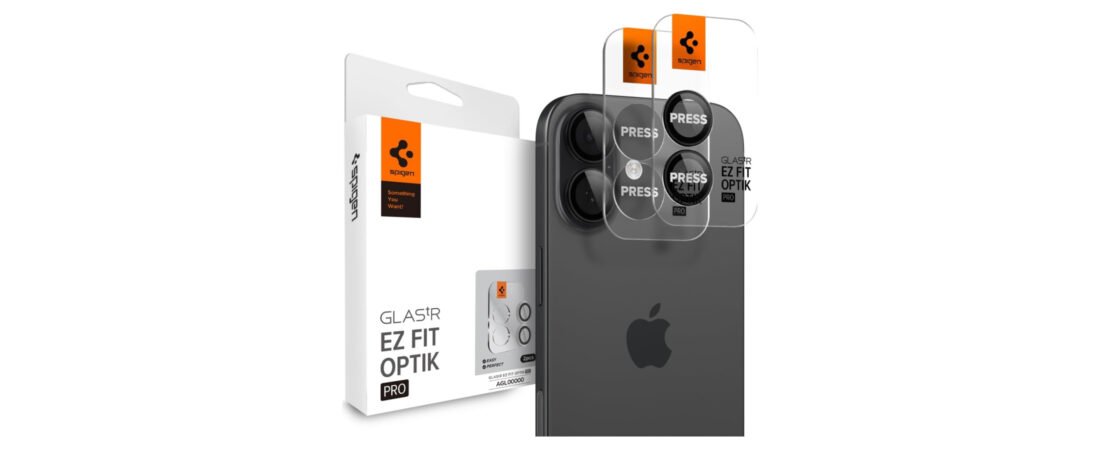
Spigen GlasTR EZ Fit Optik Pro
The alignment tray is the main attraction, helping position the protector consistently without handling each lens ring separately.
- Guided installation
- Low-profile protective glass
- Check the exact iPhone version

ESR Camera Lens Protector for iPhone
A straightforward individual-lens design for buyers who want protection without covering the entire camera island.
- Compact individual covers
- Designed to remain case-friendly
- Careful alignment is important

ESR Protector for Galaxy S25 Ultra
This version follows Samsung’s separate-lens camera layout and is intended specifically for the Galaxy S25 Ultra.
- Model-specific lens pieces
- Minimal visual bulk
- Not interchangeable with other Galaxy models
Quick comparison
| Pick | Best for | Installation |
|---|---|---|
| Spigen Optik Pro | Guided iPhone installation | Alignment tray |
| ESR for iPhone | Individual lens coverage | Manual placement |
| ESR for Galaxy | Galaxy S25 Ultra layout | Manual placement |
Will a lens protector affect photos?
Any extra layer over a camera can potentially introduce reflections, flare or softness, especially around bright lights at night. A clean, correctly aligned protector from a recognized accessory brand is less likely to create obvious problems, but no add-on is optically invisible in every situation.
After installation, test the main camera, ultrawide camera, flash and nighttime photos. If you notice halos around lights, haze or focus problems, clean both surfaces and check the alignment. Remove the protector if the issue continues.
How to choose the right protector
Confirm the exact model. “Pro,” “Pro Max,” “Plus” and “Ultra” models can use different camera dimensions even within the same generation. Open your phone’s settings and verify the model before purchasing.
Check your case clearance. Some cases tightly surround each lens, while others leave the entire camera island open. Compare the product dimensions and listing photos with your case design.
Prefer an installation guide. Trays and positioning frames reduce guesswork. With individual rings, work under bright light and avoid touching the adhesive or inner glass.
Clean installation matters
Switch off the phone, remove the case and clean the camera area thoroughly. Dust trapped beneath the protector can affect images, while pressure against a poorly fitted case can make the protector lift. Never use sharp metal tools near the original camera glass.
Do you actually need one?
A protector is most useful if your phone shares a bag or pocket with hard objects, is regularly placed on rough surfaces, or has a case with little camera clearance. If your case has a strong raised lip and you handle the phone carefully, the added glass may be less important.
Remember that a protector cannot guarantee protection from every impact. Its value is as a replaceable layer for common contact and scratches—not as insurance that the camera module cannot break.
Our verdict
The Spigen GlasTR EZ Fit Optik Pro is the most approachable choice when guided installation is the priority. The ESR iPhone version suits buyers who prefer individual lens covers, while the ESR Galaxy version is the relevant option for the S25 Ultra layout. Whichever you choose, verify the exact listing compatibility before checkout.
Frequently asked questions
Can a lens protector reduce night-photo quality?
It can if the glass is dirty, misaligned or prone to reflections. Test photos around streetlights after installation and remove it if persistent glare appears.
Can I remove it later?
Most adhesive glass protectors are designed to be removable. Follow the manufacturer’s instructions, work slowly and avoid prying with sharp metal objects.
Does it replace a protective case?
No. A case with a raised camera lip protects the surrounding phone and helps reduce direct contact. The two accessories serve different purposes.
Can I reuse a protector after removing it?
Usually not. Dust and weakened adhesive make reliable reinstallation difficult, so treat it as a single-use accessory unless the maker states otherwise.
Related guides
Our recommendations are based on product design, intended use and practical buying criteria. We do not claim laboratory or long-term hands-on testing unless explicitly stated.
camera lens protector: what matters before you buy
A strong buying decision is easier when you separate headline features from the parts that affect everyday ownership. For camera lens protectors, the most useful questions are about fit, optical clarity, case compatibility, adhesive quality, raised edges and whether you actually need extra lens protection. Those factors usually matter more after a few weeks than launch-day excitement or one standout specification.
Think about the job you want this phone camera accessory guide to do. If it solves a problem you face every day, paying more can make sense. If the feature will only be used occasionally, a simpler or older option may deliver better value.
- List the two or three features you will use every week.
- Check compatibility with the devices, apps or accessories you already own.
- Compare the full ownership cost, not only the purchase price.
- Read the return policy and warranty before buying a premium device or accessory.
Who should consider camera lens protectors
This product or comparison is most relevant for buyers who already know the limitation they are trying to fix. Someone upgrading for a specific camera, battery, comfort, portability or ecosystem reason has a clearer path than someone upgrading only because a new model exists.
If your current setup still handles the same tasks comfortably, waiting can be the smarter decision. Consumer tech improves quickly, and skipping one generation often creates a more meaningful upgrade later.
Long-term ownership questions
Before ordering, think beyond the first week. Accessories wear, batteries age, software support changes and some features depend on cloud services or subscriptions. Check which parts of the experience are included permanently and which may create future costs.
Also consider resale value, repairability and how easy it is to replace cables, tips, straps, cases or other wear items. A slightly more expensive product can be easier to own when replacement parts and support are easy to find.
How to compare reviews without getting lost
Different reviewers test different priorities. One may focus on raw performance while another emphasizes comfort, camera output or travel. Look for agreement across several sources, then pay closest attention to the tests that match your own use. A benchmark that never affects your routine should not outweigh a comfort or compatibility issue you will notice every day.
Buying checklist
- Does it solve a problem you have now?
- Does it work with your existing hardware and software?
- Are the most important features available without extra subscriptions?
- Is the size, weight or installation realistic for your routine?
- Would a cheaper model solve the same problem well enough?
Bottom line
Use the comparison to narrow the field, then choose based on the features that affect your real routine. The best purchase is the one that fits your devices, habits and budget without paying for capabilities you will rarely use.