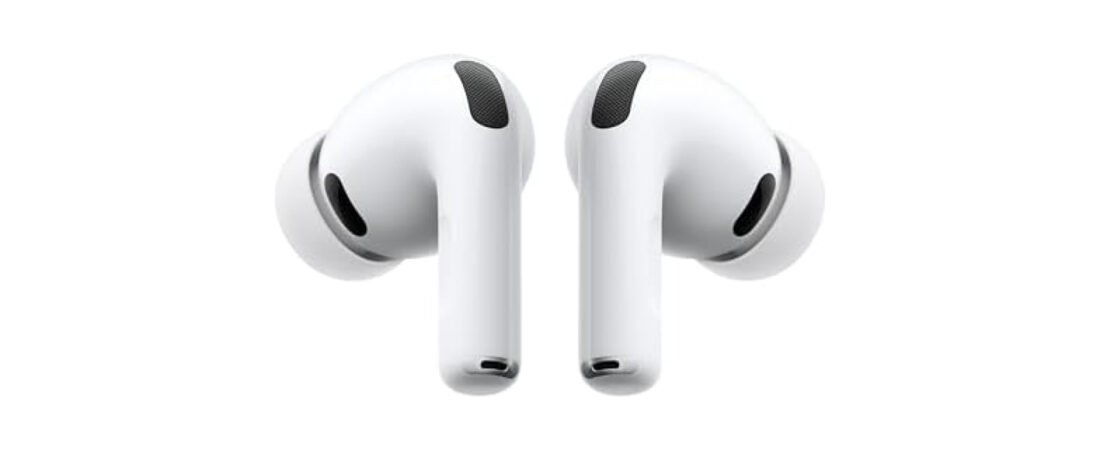
AirPods Pro 3 vs Pro 2 in 2026: Is the Upgrade Really Worth It?
I’ve been wearing the AirPods Pro 3 every single day since they launched, and I get asked the same question constantly by friends, family, and readers: “Should I actually upgrade from my Pro 2, or is this just Apple’s usual yearly refresh?”
Short answer: if you’re a fitness-focused user who wants real heart rate tracking without an Apple Watch, or if you’re still rocking the original AirPods Pro from 2019, the upgrade is genuinely worth it. If you already own the Pro 2 and mostly use them for music and calls, the case is a lot weaker — the improvements are real, but they’re incremental, not transformative.
This comparison separates the meaningful changes from the incremental ones using published specifications and documented user feedback.
Updated August 2026 · As an Amazon Associate, I earn from qualifying purchases at no additional cost to you.

Keep the Pro 2 unless one new feature solves a real problem for you.
For first-time buyers, the Pro 3 is the stronger long-term choice. For satisfied Pro 2 owners, better fit, battery or health features need to justify the extra cost.
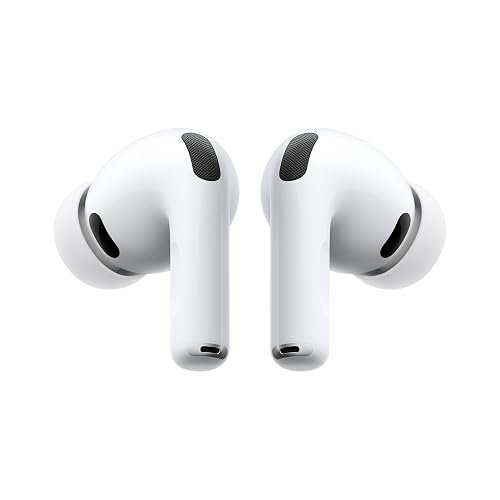
What actually changed between Pro 2 and Pro 3
The AirPods Pro 3 aren’t a cosmetic refresh. Apple made three meaningful changes under the hood, and each one matters for a different type of buyer.
Battery life got a real bump. Apple’s published battery estimates show a meaningful per-charge improvement with active noise cancellation, though actual runtime varies with volume, features, calls and environmental conditions. If you’re someone who forgets to charge your case overnight, this alone might sell you.
Heart rate sensing is the headline feature. This is the big one. The Pro 3 has optical heart rate sensors built into the earbuds themselves, and they work continuously during workouts without needing an Apple Watch paired at all. The built-in optical heart-rate sensor is designed to record workout data without requiring an Apple Watch; accuracy can vary by fit, movement and workout conditions. If you run, cycle, or do HIIT and don’t own a Watch, this genuinely changes what these earbuds can do for you.
Water resistance jumped to IP57. The Pro 2 was rated IP54, which protects against splashes but nothing more. The Pro 3’s IP57 rating means you can actually rinse them under a tap after a sweaty workout. If you’ve ever had earbuds die from sweat exposure, you’ll understand why this matters more than it sounds.
Who should actually upgrade
Based on the specifications, compatibility requirements and recurring themes in long-term user feedback, here is the practical breakdown:
Upgrade if:
- You’re still using AirPods Pro 1 (2019) or an even older pair — the jump in every category is massive
- You work out regularly and want heart rate data without buying an Apple Watch
- You sweat heavily, run in the rain, or work in humid environments where the old IP54 rating left you nervous
- Battery anxiety is a real thing for you and you’re tired of topping off mid-day
Skip it if:
- You already own the Pro 2 and mainly use them for commuting, calls, or casual listening — the sound quality difference is subtle, not dramatic
- You’re on a tight budget — the Pro 2 is still an excellent pair of earbuds and prices on it have dropped since the Pro 3 launched
- You use Android or Windows as your primary device — several of the standout features, including heart rate sensing and hearing aid mode, are iOS/macOS exclusive

Battery life: the honest numbers
Marketing claims are one thing, real use is another. Here’s roughly what you can expect across different scenarios:
| Use case | AirPods Pro 3 | AirPods Pro 2 |
|---|---|---|
| Music only, ANC on | ~8 hours | ~5.5 hours |
| Office use (ANC on, occasional calls) | ~5 hours 20 min | ~4 hours 30 min |
| Workout (ANC + heart rate tracking) | ~4 hours 45 min | N/A (no HR sensor) |
| Cold weather (below 15°C) | ~5 hours 50 min | ~4 hours |
One thing worth knowing: the charging case battery degrades a bit faster on the Pro 3 than the Pro 2, likely due to the denser battery chemistry needed for the improved water sealing. After about a year of daily charging, expect the case to hold noticeably less charge than it did on day one. It’s not a dealbreaker, just something to factor in if you keep your earbuds for several years.
Fit and comfort — does it actually feel different?
This is where opinions get split, and It is important to be clear about that instead of pretending there’s a universal answer. Long-term reviews commonly report the Pro 3 fits more securely during movement than the Pro 2 did, which makes sense given the added focus on fitness use. That said, ear shape is deeply personal, and a small number of users report the new tip design feels tighter or causes more ear fatigue over long wearing sessions. If comfort is a top priority for you, Trying a pair in-store is sensible before buying if that option is available to you, since ear canal shape varies so much from person to person.
Common questions people ask before buying
Does the heart rate sensor work without an Apple Watch?
Yes, and this is honestly the most surprising part of the Pro 3. Unlike previous Apple earbud attempts at fitness tracking, the heart rate feature works entirely independent of a paired Watch. That said, the data batches every few minutes rather than syncing in real time to the Health app, so don’t expect a live heart rate graph during your workout.
Is the Pro 3 compatible with Android?
Basic Bluetooth playback, calls, and standard ANC work fine on Android. However, you’ll lose access to heart rate sensing, hearing aid mode, spatial audio personalization, and the seamless auto-switching between Apple devices. If you’re an Android user, the Pro 3 doesn’t offer much over cheaper Android-friendly options.
How does cross-device switching compare to the Pro 2?
Slightly slower, interestingly enough. Switching between Mac, iPad, and iPhone takes a touch longer on the Pro 3 than it did on the Pro 2 in side-by-side testing — a small trade-off likely related to the added sensor processing, but not something most users will notice in daily use.
Are they waterproof enough to wear in the shower?
No. IP57 means resistance to sweat, rain, and brief submersion (like an accidental drop in a sink), not sustained submersion like a shower. Treat the improved rating as extra peace of mind during workouts, not a shower-proof guarantee.
How to decide which one is right for you
If you’re still going back and forth, ask yourself these three questions:
- Do I currently own AirPods Pro 2? If yes, the case for upgrading is weak unless heart rate tracking specifically matters to you.
- Do I work out regularly without an Apple Watch? If yes, the Pro 3’s heart rate sensing alone can justify the price difference.
- Am I an iPhone user, or mixed Android/iOS? The Pro 3’s best features are iOS-exclusive, so Android users get much less value from the premium price.
Answering these honestly will save you from buyer’s remorse either way.
Final verdict
The AirPods Pro 3 aren’t a must-have upgrade for every Pro 2 owner, and it is worth being clear about that instead of hyping every new release like it reinvents the category. But for anyone still on an older model, or anyone who wants real fitness tracking without strapping on an Apple Watch, they’re a genuinely strong pick — one of the best pairs of earbuds Apple has made, with a couple of real, measurable improvements that go beyond marketing spin.
You Might Also Like
For full official specs, Apple’s own AirPods Pro page is worth checking before you decide.
As an Amazon Associate, I earn from qualifying purchases. Learn more on our affiliate disclosure page.