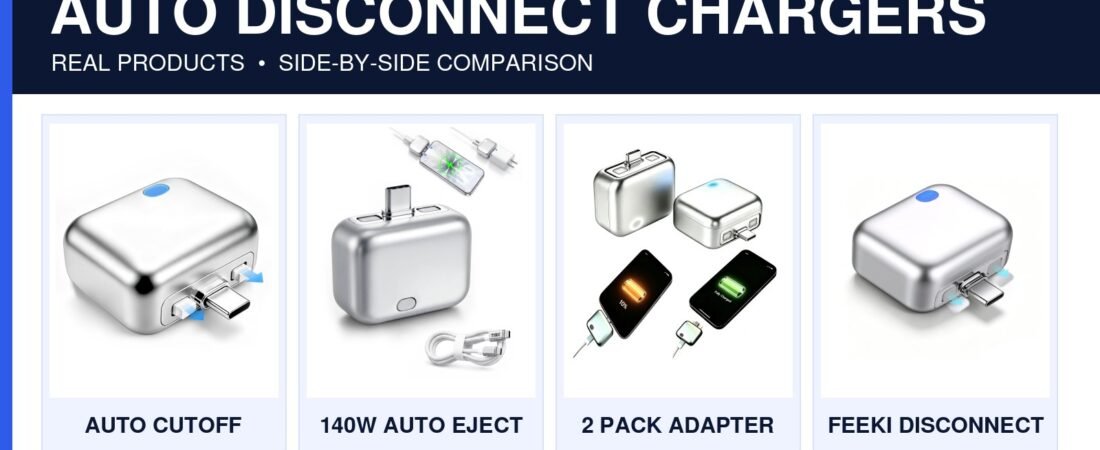
Auto Disconnect Charger Review 2026: This USB-C Adapter Physically Stops Charging at Full Battery
This tiny USB-C accessory has one very visual trick: compatible models can physically disconnect or eject the charging connection after charging finishes.
Affiliate disclosure: We may earn a commission from qualifying purchases through links on this page, at no extra cost to you. Prices and availability change. Product images shown are current Amazon listing images for the models linked.
It is a clever convenience accessory, not a magic battery saver.
Modern phones already manage charging electronically. The appeal is the physical disconnect after a full charge, which some overnight chargers may find reassuring and satisfying.
viral accessory pick
What exactly is an auto-disconnect charger?
Think of it as a small adapter that sits between your USB-C cable and your phone, tablet, earbuds or laptop. Some versions detect when charging is complete and then mechanically separate the power connection.
That physical movement is what makes these adapters interesting. Unlike a standard charging limit that happens invisibly in software, you can actually see that the connection has been interrupted.
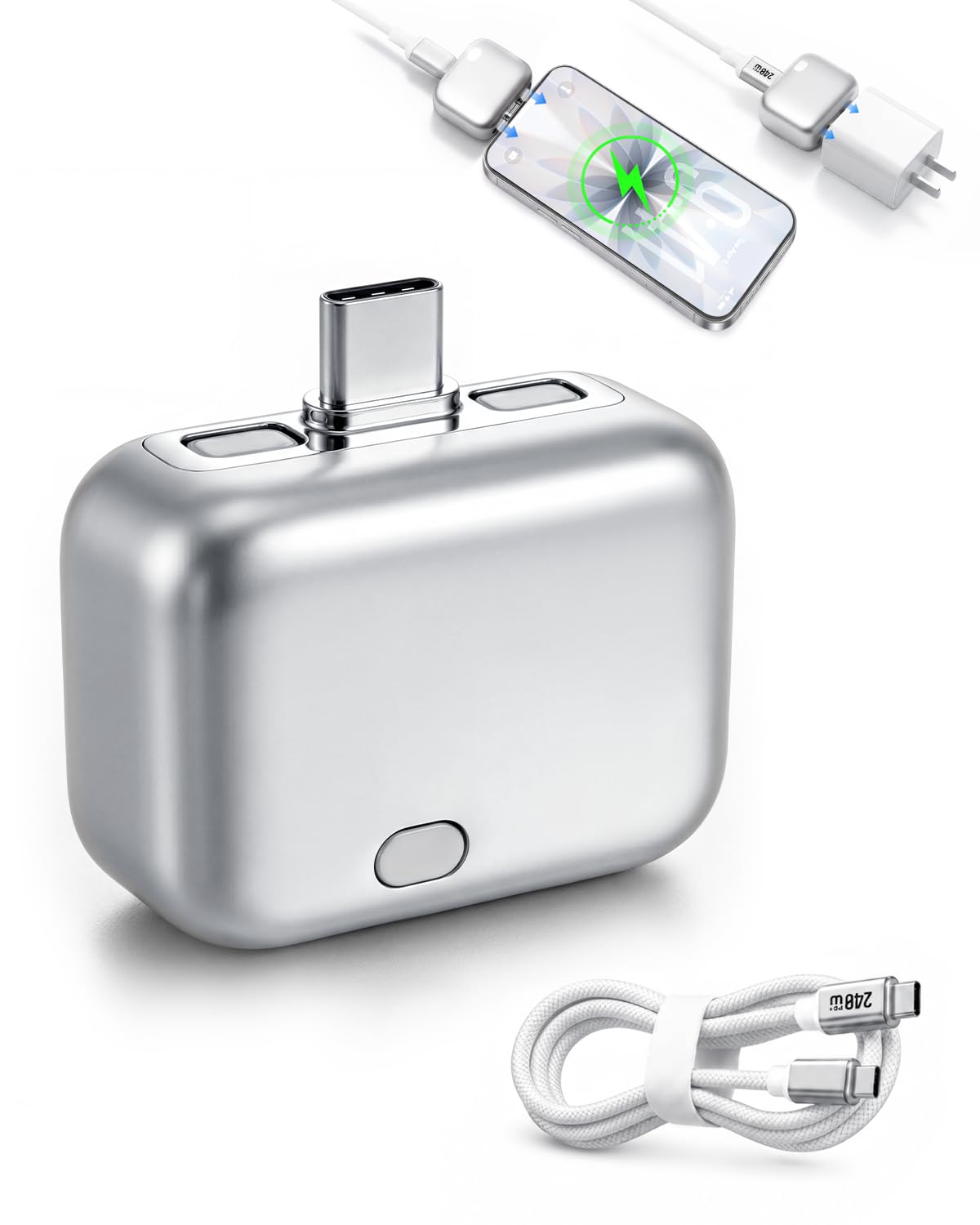 140W Smart Auto Stop Charging Adapter with cable
Why this product is suddenly interesting
Most charging accessories are visually boring. This one behaves differently enough that it instantly makes sense in a short video: plug it in, charge the device, and then watch the connection physically release.
Some current listings advertise support up to 140W, although real charging speed still depends on the charger, cable, device and USB Power Delivery profile.
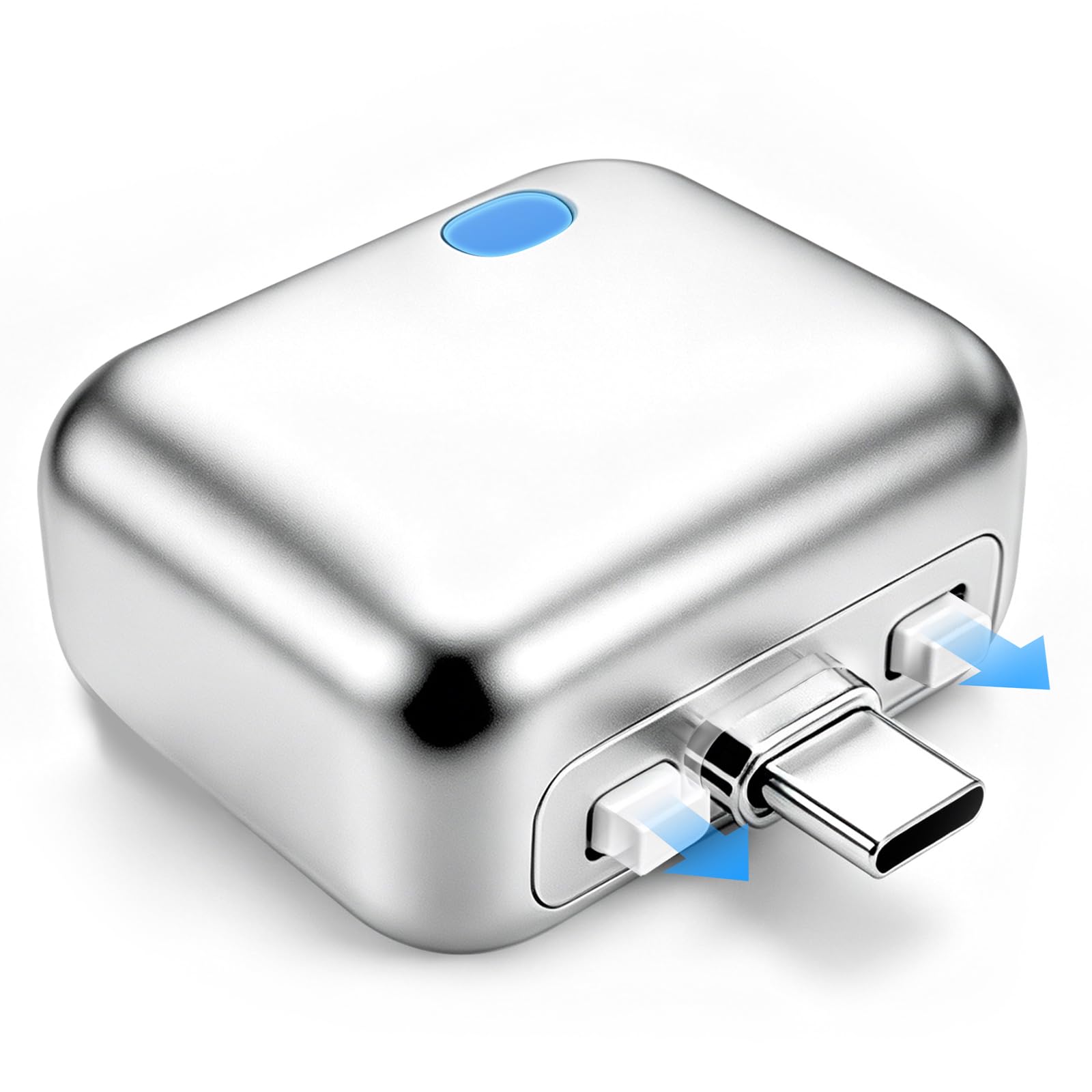 Automatic Full Charge Cutoff Adapter
The physical cutoff is the whole point
Software charge protection is already common. An auto-disconnect adapter takes a more literal approach: once it decides charging is complete, it breaks the physical connection.
That can appeal to people who prefer not to leave a cable electrically connected for hours after charging finishes.
What to check before buying
Most current models are USB-C. Check both the phone side and cable side carefully.
Some listings claim up to 140W, but your device and charger determine the actual charging rate.
Not every auto-disconnect model physically pops apart. Some only cut electrical power.
Charge management differs across phones, tablets and laptops, so trigger timing may vary.
Is it useful for overnight charging?
That is probably the strongest use case. If you routinely plug your phone in before bed, an adapter that physically disconnects after charging completes can remove the feeling that the device has been sitting attached to power until morning.
Still, view it as convenience rather than essential safety equipment. Use a reputable wall charger and cable first.
If you are building a better charging setup around an auto disconnect charger, compare it with our best USB-C fast charging cables and best USB-C car chargers. A reliable charger and cable matter more than the auto disconnect charger accessory itself.
 140W Smart Auto Stop Charging Adapter
Current auto-disconnect charger options on Amazon
Automatic Full Charge Cutoff Adapter
Type-C input with automatic full-charge cutoff behavior.
140W Smart Auto Stop Charging Adapter
One of the clearest listings for the physical full-charge auto-eject behavior.
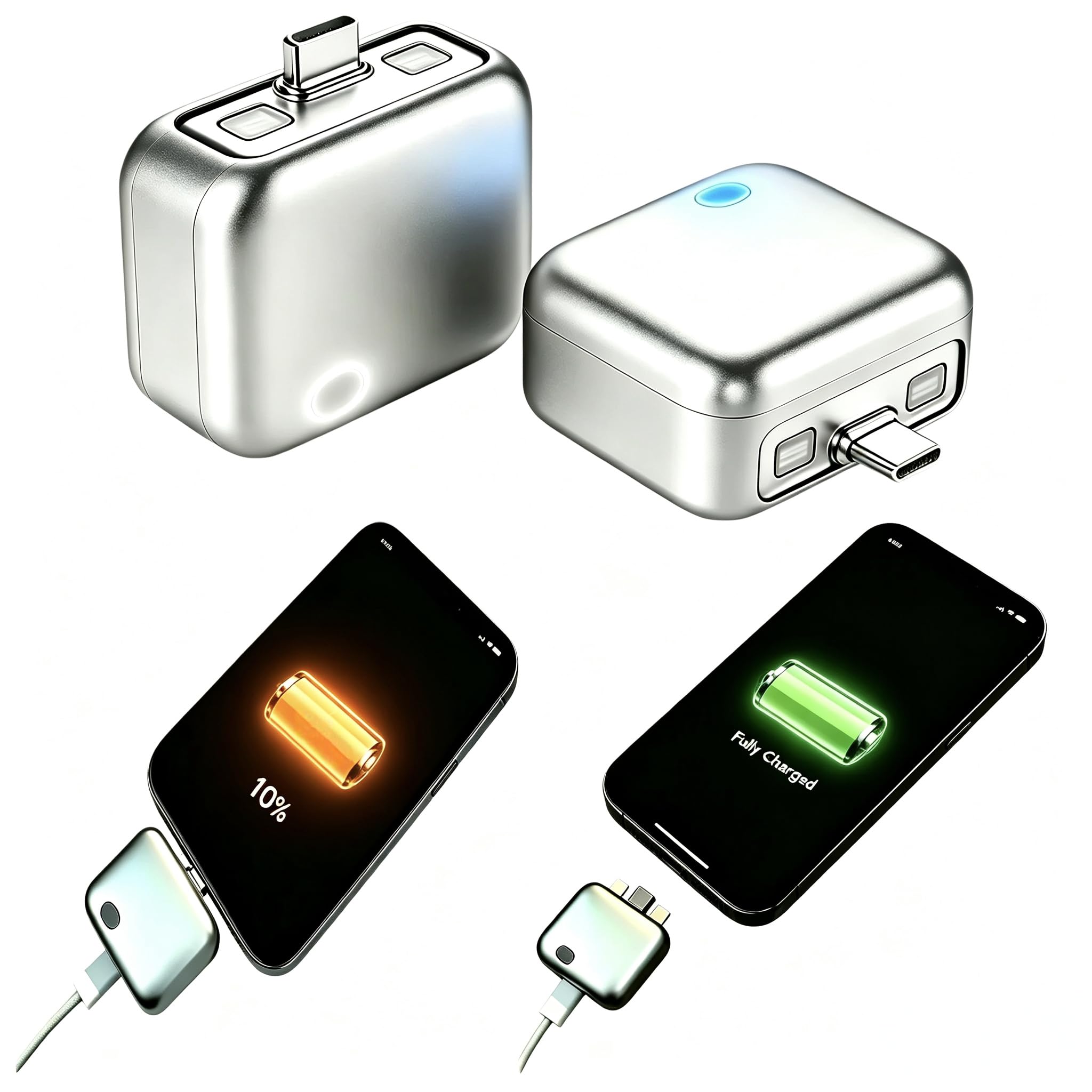 2PCS Physical Disconnect Adapter
Who should buy one?
- People who regularly leave devices charging overnight.
- Gadget fans who like visible automation.
- Users who want a simple disconnect behavior without remembering to unplug manually.
- Content creators looking for a visually interesting tech accessory.
Skip it if you are already happy with your phone’s built-in charge limit or if adding another adapter to your cable sounds annoying.
A cheaper gadget can still make a great review
This is not a high-ticket product like a premium phone or security-camera kit. Its strength is click appeal. The mechanism is easy to understand and the visual pop-off moment is ideal for Shorts, TikTok or Reels.
That makes it useful as a traffic product: someone discovers the gadget in a short video, visits the full review, then checks the current Amazon options.
 FEEKI Full Charge Disconnector
MobileGearPicks verdict
The auto-disconnect charger is a clever little accessory as long as you buy it for the right reason. Modern phones already protect themselves during normal charging, so the physical disconnect is mostly about convenience, habit and peace of mind.
Frequently asked questions
Does an auto-disconnect charger physically unplug itself?
Some models use a mechanical separation or ejection action. Others only cut electrical power, so check the exact listing.
Do modern phones need this to avoid overcharging?
No. Modern smartphones already have charging-management circuitry and software.
Can it fast charge?
Some listings advertise up to 140W support, but actual speed depends on the complete charging setup and your device.
Will it work with iPhone?
USB-C iPhones may work with compatible USB-C models, while some listings also offer Lightning output. Verify compatibility before buying.
auto disconnect charger: what matters before you buy
A strong buying decision is easier when you separate headline features from the parts that affect everyday ownership. For Auto Disconnect Charger, the most useful questions are about charging behavior, heat, compatibility and whether the automatic cutoff solves a real problem in your routine. Those factors usually matter more after a few weeks than launch-day excitement or one standout specification.
Think about the job you want this charging accessory to do. If it solves a problem you face every day, paying more can make sense. If the feature will only be used occasionally, a simpler or older option may deliver better value.
- List the two or three features you will use every week.
- Check compatibility with the devices, apps or accessories you already own.
- Compare the full ownership cost, not only the purchase price.
- Read the return policy and warranty before buying a premium device or accessory.
Who should consider Auto Disconnect Charger
This product or comparison is most relevant for buyers who already know the limitation they are trying to fix. Someone upgrading for a specific camera, battery, comfort, portability or ecosystem reason has a clearer path than someone upgrading only because a new model exists.
If your current setup still handles the same tasks comfortably, waiting can be the smarter decision. Consumer tech improves quickly, and skipping one generation often creates a more meaningful upgrade later.
Long-term ownership questions
Before ordering, think beyond the first week. Accessories wear, batteries age, software support changes and some features depend on cloud services or subscriptions. Check which parts of the experience are included permanently and which may create future costs.
Also consider resale value, repairability and how easy it is to replace cables, tips, straps, cases or other wear items. A slightly more expensive product can be easier to own when replacement parts and support are easy to find.
How to compare reviews without getting lost
Different reviewers test different priorities. One may focus on raw performance while another emphasizes comfort, camera output or travel. Look for agreement across several sources, then pay closest attention to the tests that match your own use. A benchmark that never affects your routine should not outweigh a comfort or compatibility issue you will notice every day.
Buying checklist
- Does it solve a problem you have now?
- Does it work with your existing hardware and software?
- Are the most important features available without extra subscriptions?
- Is the size, weight or installation realistic for your routine?
- Would a cheaper model solve the same problem well enough?
Bottom line
Use the comparison to narrow the field, then choose based on the features that affect your real routine. The best purchase is the one that fits your devices, habits and budget without paying for capabilities you will rarely use.