2026 BUYING GUIDE · SMALL DESK SETUP
This guide to best laptop stands for small desks focuses on the differences that matter most before you buy, with practical guidance for choosing the right option for your setup.
Best Laptop Stands for Small Desks in 2026
If your laptop sits too low, your shoulders creep forward and your desk feels crowded, a stand can improve the setup without forcing you to buy a bigger desk.
Affiliate disclosure: As an Amazon Associate, Mobile Gear Picks earns from qualifying purchases. Prices and availability can change.
Why laptop height matters
When a laptop sits flat on a desk, the screen is usually well below eye level. That encourages people to bend the neck and upper back forward. Raising the display can make the screen easier to view, but only if the rest of the setup still feels natural.
The biggest mistake is raising the laptop high and then continuing to type on its keyboard for hours. That can trade neck strain for shoulder and wrist discomfort. A taller stand works best with an external keyboard and mouse.
Our practical picks
Fixed aluminum stand
Best for permanent desks. Stable, clean-looking and usually creates useful storage space underneath.
Adjustable height stand
Best for shared setups. Useful when more than one person uses the desk or you switch between sitting positions.
Folding travel stand
Best for portability. Light, compact and easy to move between home, office and travel.
How high should the screen be?
A common ergonomic target is to position the top portion of the display near eye level while keeping your head in a comfortable neutral position. Exact height depends on your body, chair and viewing distance. The stand should help you look forward rather than constantly downward.
Stability matters more than fancy adjustment
A stand with many hinges can look impressive but may wobble under a heavy laptop. If you type directly on the built-in keyboard, even small movement becomes annoying. Check the stand’s weight rating and hinge stiffness.
Small desks benefit from vertical space
One of the best reasons to use a stand on a compact desk is the space underneath. You can slide a keyboard, notebook, dock or small accessories beneath the laptop when they are not in use. This can make a 90-centimeter desk feel much less crowded.
Does a stand improve cooling?
Sometimes. Raising the laptop can improve airflow around bottom vents, especially compared with placing it on a soft surface. But a passive stand does not magically solve overheating. Keep vents clear and clean, and do not assume a fan-equipped stand is necessary for every laptop.
Fixed vs adjustable
Fixed stands are usually simpler and more rigid. Adjustable stands let you change height and angle but add joints that can loosen or wobble. If your desk and chair rarely change, fixed can be the better long-term choice.
What about vertical laptop stands?
Vertical stands are different. They are designed to hold a closed laptop on its edge, saving desk space when you use an external monitor. They are excellent for clamshell desktop setups but not useful if you need the laptop display open.
Will a stand scratch the laptop?
Good stands use silicone or rubber contact pads where the laptop rests. Check that those pads cover the actual contact points and do not trap grit. Metal touching metal directly is less desirable.
Portable stands and travel
A travel stand should fold flat, weigh little and set up quickly. Extremely lightweight plastic models are easy to carry but may flex. For frequent travel, the sweet spot is usually a compact metal or reinforced stand that fits inside the laptop sleeve or accessory pouch.
Do you need an external keyboard?
If you raise the laptop to eye level for long sessions, yes, an external keyboard and mouse usually make the setup much more comfortable. If you only lift the laptop slightly and type for short periods, you may be fine using the built-in keyboard.
Desk aesthetics vs real usefulness
There are many beautiful minimalist stands that look great in product photos. Before buying one, check whether it blocks ports, fits your laptop’s thickness and leaves enough room for cables. A good stand should disappear into your workflow rather than become another thing you have to work around.
When a monitor arm is better
If you use an external monitor and want maximum desk space, a monitor arm plus a vertical laptop holder can be a better setup than a laptop riser. The right choice depends on whether the laptop screen is part of your daily workspace.
FAQ
Are laptop stands good for posture?
They can help raise the screen, but the full setup—chair, keyboard, mouse and breaks—matters too.
Can I type directly on an elevated stand?
You can, but higher stands may put wrists and shoulders in an awkward position. External input devices are better for long sessions.
Do cooling fans in stands help?
Sometimes, especially on laptops with bottom intake vents, but results vary by laptop design.
Three laptop stands to compare for a small desk
The right stand depends on whether you need portability, maximum stability or flexible positioning. Measure the desk first, then compare how much space each design gives back underneath the laptop.

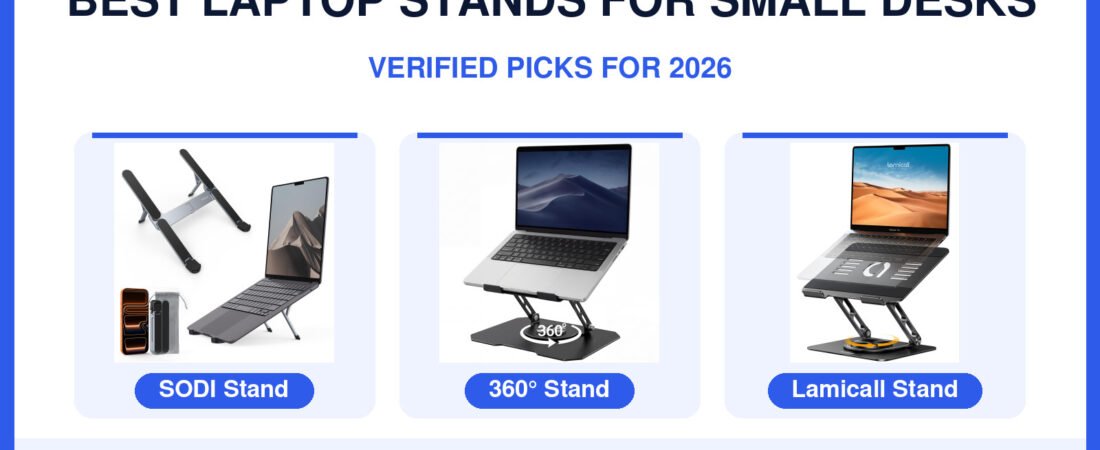
SODI Foldable Stand
Best for: travel, cafés and compact desks where the stand must disappear into a bag.
Check first: lightweight designs trade some rigidity for portability.
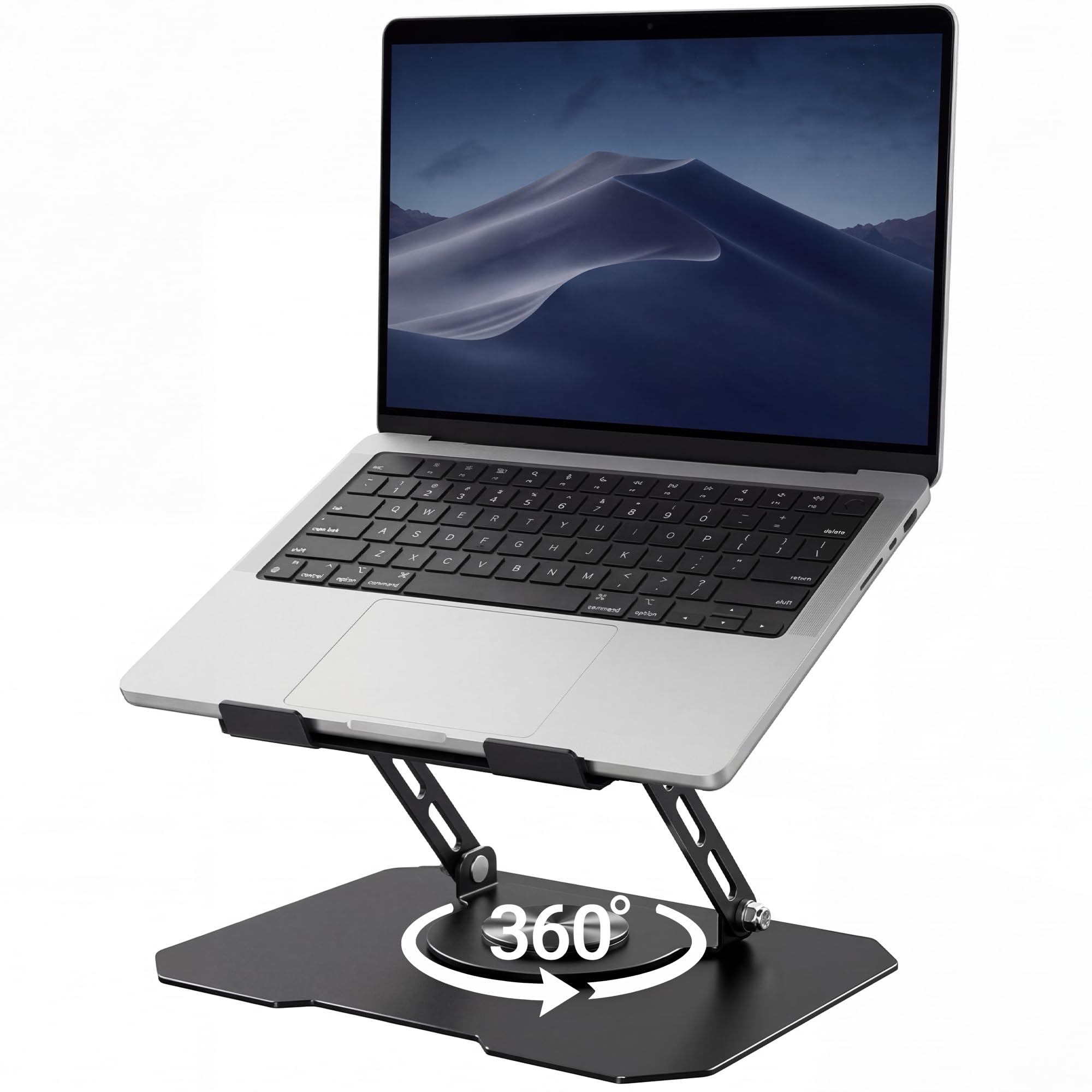
360° Rotating Riser
Best for: shared desks, meetings and users who frequently change viewing angle.
Check first: more hinges mean more flexibility, but stability matters if you type directly on the laptop.
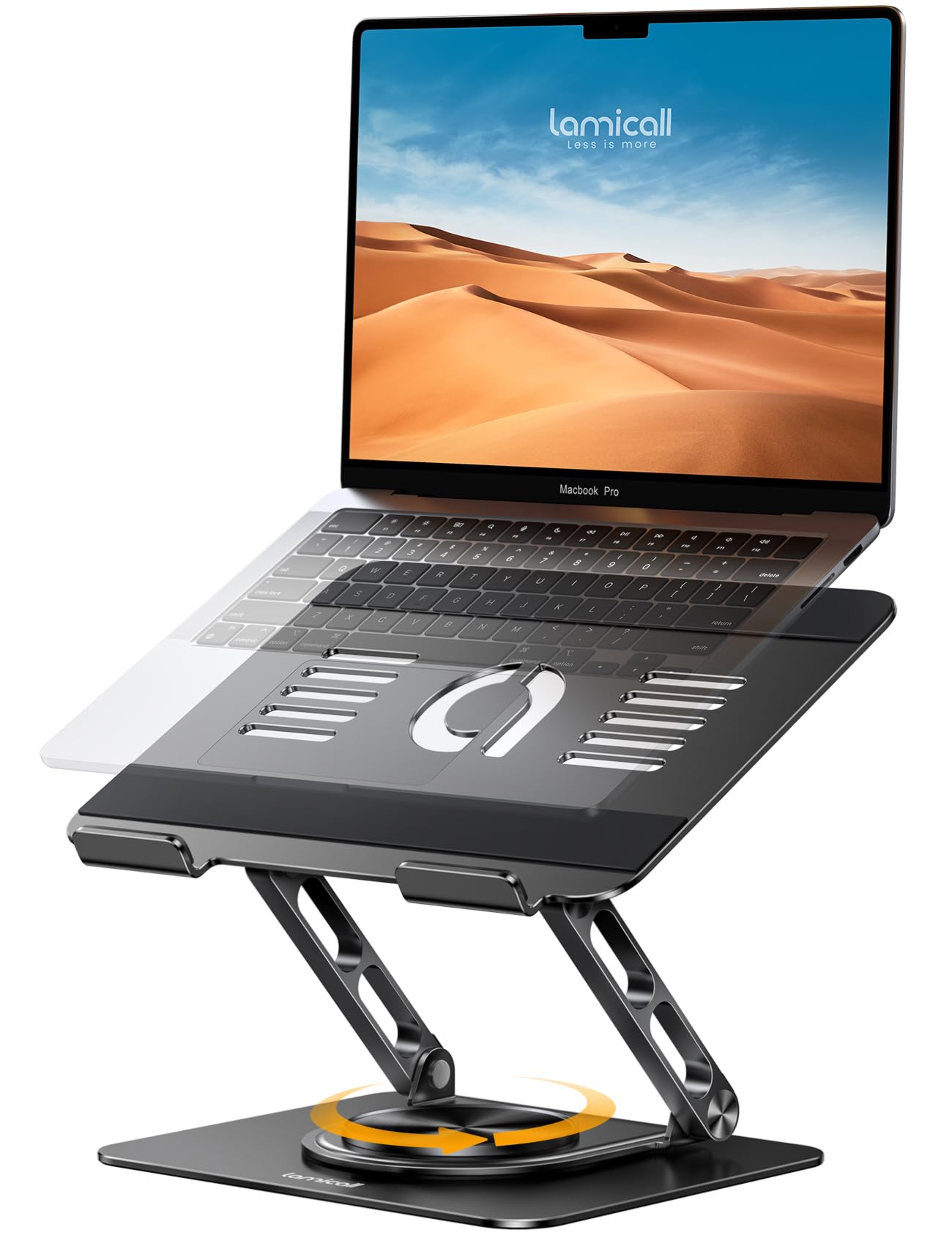
Lamicall Aluminum Stand
Best for: a more permanent home-office setup with a sturdy adjustable platform.
Check first: verify your laptop size and whether you will use an external keyboard at the chosen height.
Amazon prices and availability can change. Product images and listings above are pulled from the connected Hostinger Affiliate/Amazon integration.
Bottom line
For a small desk, the best stand gives you three things at once: a better viewing height, stable support and useful space underneath. Buy for the layout you actually have, not the one shown in the product photo.
How we prepared this guide
This article was researched and drafted with AI assistance, then reviewed for clarity and usefulness. It does not claim hands-on laboratory testing. Verify current dimensions, weight limits and compatibility before purchase.
How to choose a laptop stand for a small desk
On a compact desk, footprint matters as much as height. A stand that lifts the laptop but occupies the entire work surface defeats the point. Look for a stable base, enough clearance for a keyboard or notebook underneath, and an angle that keeps the screen closer to eye level without forcing your wrists upward.
Foldable stands are useful if the same desk doubles as a dining table or study space. Fixed stands usually feel more stable, while portable aluminum designs are easier to pack. If your laptop runs hot, an open-frame design can also improve airflow compared with placing the computer flat on a soft surface.
How to choose a stand for a genuinely small desk
On a compact desk, the best laptop stand is not automatically the tallest or most adjustable model. The real goal is to raise the screen without taking over the work surface. Measure the depth of the desk and think about where the keyboard, mouse and charger cable need to sit before choosing a stand.
Fixed stands are simple; adjustable stands are flexible
A fixed-angle stand usually has fewer moving parts and can feel very stable. An adjustable stand is more useful when several people share the desk or when the laptop moves between sitting and standing setups. Extra hinges are valuable only if you actually need the range of motion.
Typing directly on the laptop changes the decision
If you plan to type on the laptop keyboard while it is elevated, stability becomes critical and very tall stands may feel awkward. If you use an external keyboard and mouse, you can raise the screen higher and reclaim space underneath the computer. That is often the better ergonomic setup for longer sessions.
Airflow and cable clearance
The stand should not cover major intake or exhaust areas on the laptop. Open-frame designs can also make it easier to route USB-C, HDMI and charging cables without bending them sharply. On a small desk, clean cable paths matter because one badly placed connector can steal more space than the stand itself.