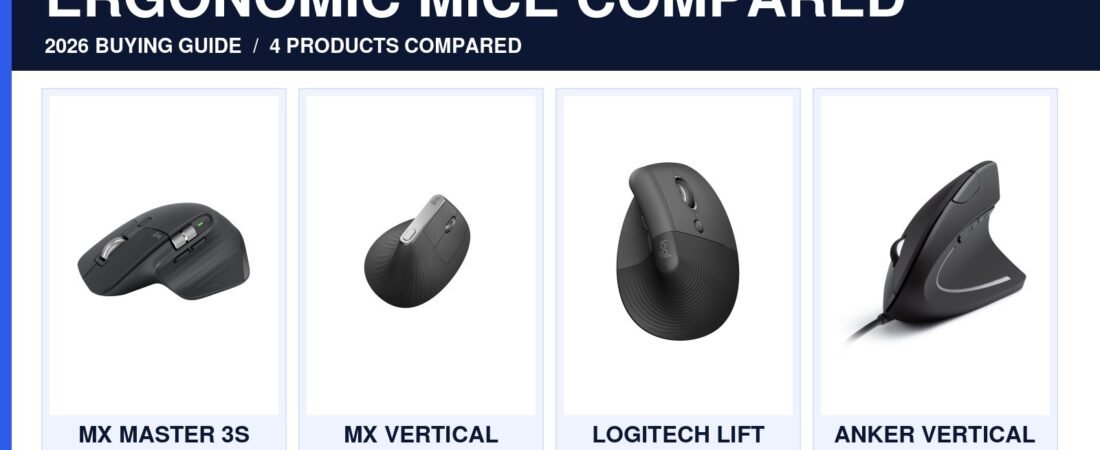
Best Ergonomic Mice for Long Workdays in 2026
If your hand feels tired before your workday is over, the problem may not be how much you use a mouse. It may be how the mouse asks your wrist and fingers to sit for hours at a time. This guide compares four real Amazon options by shape, hand size and daily workflow. If you are comparing the best ergonomic mice for long workdays, start with fit first: hand size, wrist angle and the tasks you repeat for hours matter more than a flashy feature list.


Affiliate disclosure: As an Amazon Associate, Mobile Gear Picks earns from qualifying purchases. Prices and availability can change.
Why mouse shape matters after several hours
A standard flat mouse can feel completely normal during short use. Over a full workday, however, small issues become obvious. Excessive wrist rotation, a mouse that is too narrow, or buttons placed too far forward can force your hand into repeated awkward movements.
An ergonomic mouse tries to solve those problems with a sculpted shell, thumb support, more natural wrist angle or a vertical design. None of those features guarantee comfort for every person, which is why buying by hand size and grip style matters more than buying by marketing language.
Best ergonomic mice for long workdays: our 2026 picks
These four options cover the main comfort paths: a sculpted productivity mouse, a full-size vertical mouse, a compact vertical mouse and a budget vertical option. All four listings and images below were matched through the connected Hostinger Amazon affiliate integration.
Logitech MX Master 3S
A sculpted right-handed shape for people who want familiar control, fast scrolling and programmable workflow features without switching to a vertical grip.
- Best for: long office sessions, spreadsheets and creative work
- Shape: sculpted traditional
- Watch for: larger body may feel big in small hands
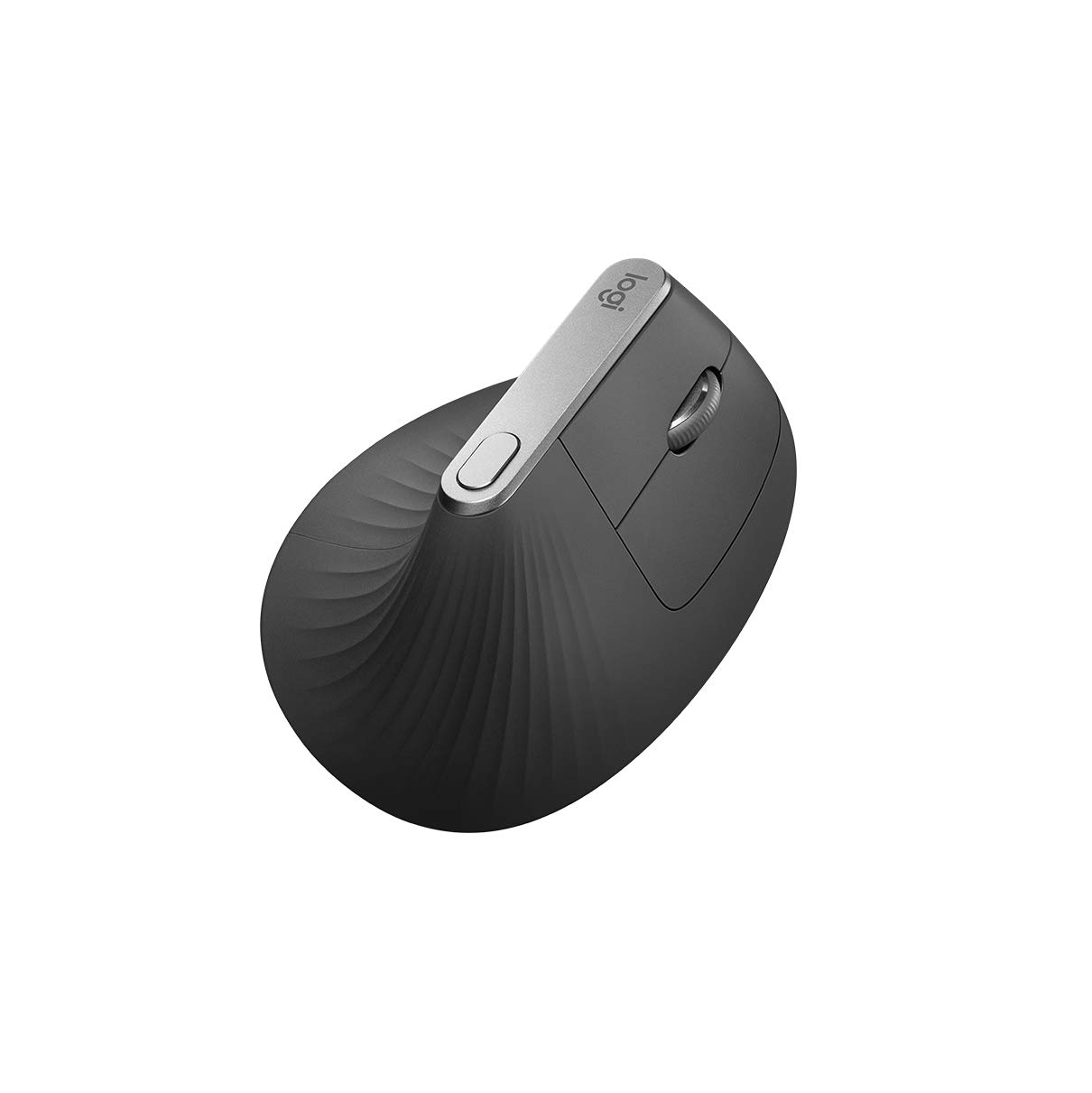
Logitech MX Vertical
A full-size vertical mouse that rotates the hand toward a handshake-style position and is easier to recommend when forearm rotation is the main frustration.
- Best for: medium to larger hands
- Shape: vertical
- Watch for: takes adjustment time for precise cursor work
Logitech Lift
A more compact vertical design that makes sense for smaller and medium hands that find larger ergonomic mice too bulky.
- Best for: smaller and medium hands
- Shape: compact vertical
- Watch for: hand-size fit matters more than feature count

Anker USB Vertical Mouse
A low-cost wired option for testing whether an upright shape feels more natural before paying premium prices for a vertical mouse.
- Best for: budget buyers and first-time vertical users
- Shape: wired vertical
- Watch for: fewer premium workflow features
| Mouse | Best for | Grip style | Who should skip it |
|---|---|---|---|
| MX Master 3S | Productivity and multi-device work | Sculpted traditional | Small hands wanting a compact mouse |
| MX Vertical | Users prioritizing a more upright wrist position | Full-size vertical | Anyone unwilling to adjust to vertical control |
| Logitech Lift | Small/medium hands | Compact vertical | Large hands needing more palm support |
| Anker Vertical | Budget testing | Wired vertical | Users wanting premium wireless features |
Standard ergonomic vs vertical mouse
A sculpted standard mouse supports your palm while keeping a familiar orientation. This usually means less adjustment time and better precision for people who switch between office work and creative tasks. A vertical mouse rotates the hand toward a handshake position and can feel more natural for some users, but it may take several days to regain precise cursor control. That is why the best ergonomic mice for long workdays are not all the same shape: one person may prefer sculpted support while another benefits from a more upright grip.
If you already use a regular mouse comfortably but want better support, start with a sculpted design. If wrist rotation itself bothers you, a vertical mouse is worth considering.
Hand size is not a minor detail
A large mouse can force smaller hands to stretch for buttons. A tiny mouse can leave larger hands unsupported and make you grip harder than necessary. Manufacturers sometimes publish hand-size guidance, but even when they do not, reviews that mention hand dimensions can be more useful than a simple five-star rating. When narrowing down the best ergonomic mice for long workdays, hand size should be one of your first filters, not an afterthought.
Do you need a thumb wheel?
For spreadsheets, timelines and wide documents, horizontal scrolling can be genuinely useful. For basic browsing and email, it is more of a convenience. Do not pay extra for specialized controls unless they solve something you do often.
Bluetooth or USB receiver?
Bluetooth keeps ports free and works well for general office use. A dedicated receiver can offer more consistent wake behavior and lower latency. Some premium mice support both, letting you switch between a desktop, laptop and tablet.
What about wrist pain?
An ergonomic mouse may improve comfort, but it is not a medical treatment. Persistent pain, numbness or weakness deserves professional evaluation. Also check desk height, keyboard position, chair setup and how often you take breaks, because the mouse is only one part of your workstation.
Battery life and charging
Long battery life sounds impressive, but the bigger practical question is how the mouse behaves when power gets low. Rechargeable models are convenient if you can keep using them while plugged in. Replaceable-battery models can run for months but create a different maintenance routine. For the best ergonomic mice for long workdays, reliable charging and predictable wake behavior matter more than an extreme battery-life claim.
Is the MX Master 3S worth the premium?
For heavy office work, creative timelines and multi-device setups, it can be. Its value is less about raw sensor performance and more about workflow: scrolling, programmable controls and a shape designed for long sessions. If you only browse the web, a simpler mouse may be better value.
Compare ergonomic mice on Amazon ↗
FAQ
Are vertical mice better for everyone?
No. Some people love the wrist angle; others prefer a sculpted traditional shape.
How long does it take to adjust?
A few days is common, especially with a vertical design.
Should I buy by DPI?
For office work, comfort and control matter far more than extremely high DPI numbers.
Three ergonomic mice worth comparing before you buy
By this point, the decision should be clearer: choose a sculpted productivity mouse if you want familiar control, or a vertical mouse if wrist rotation is the bigger frustration. These are three concrete options to compare after deciding which shape fits your hand and workflow.
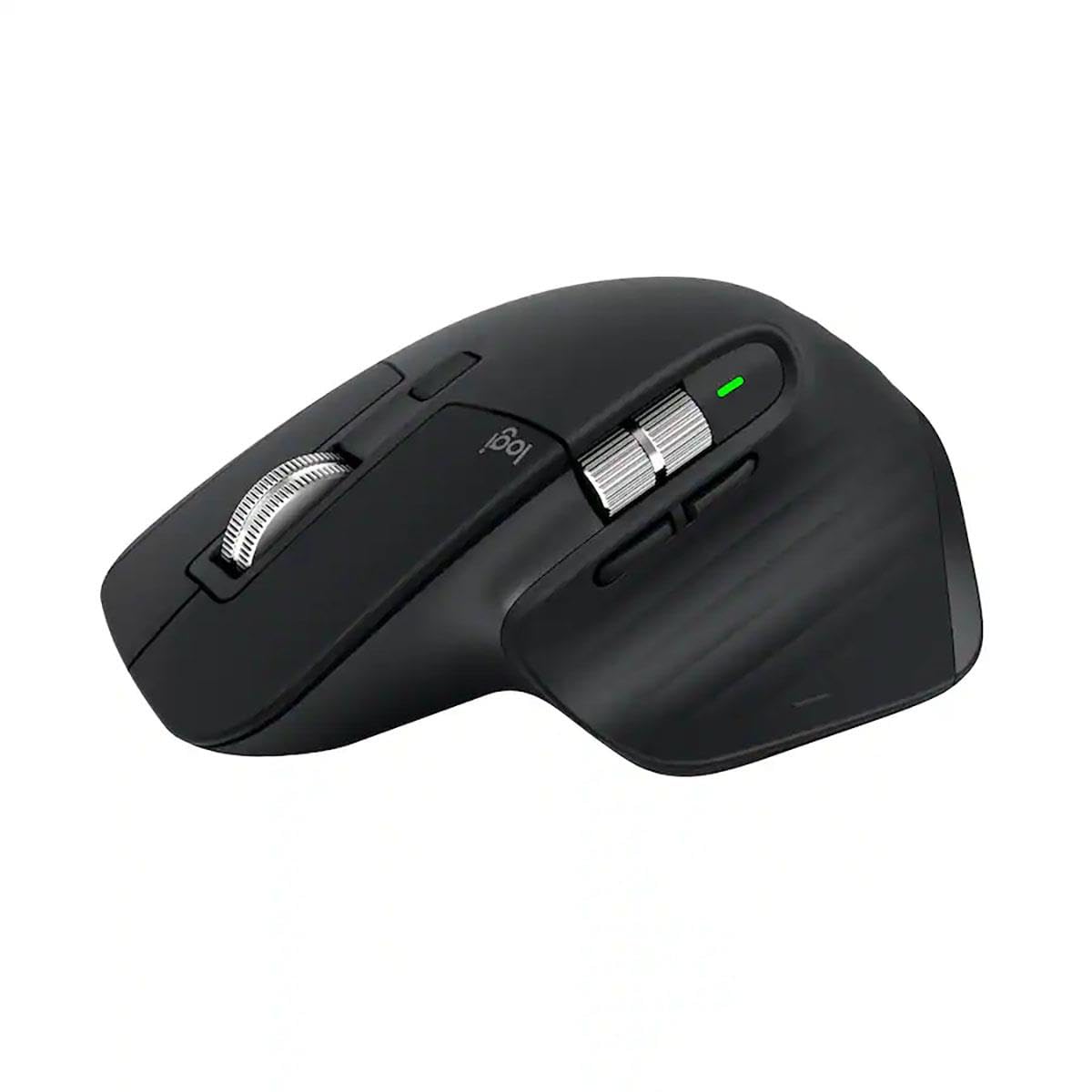
Logitech MX Master 3S
Best for: productivity users who want a familiar shape, fast scrolling and programmable controls.
Check first: it is a larger right-handed mouse, so small hands may prefer a more compact option.
Logitech MX Vertical
Best for: people who specifically want a handshake-style wrist position.
Check first: vertical mice take adjustment time and are not automatically more comfortable for everyone.
Logitech Lift
Best for: smaller and medium hands wanting a compact vertical design.
Check first: choose by hand size, not only by the word ergonomic on the box.
Amazon prices and availability can change. Product images and listings above are pulled from the connected Hostinger Affiliate/Amazon integration.
Bottom line
If your current mouse feels fine for ten minutes but irritating after a full day, prioritize shape, hand size and button placement. Comfort is the feature you will notice every hour.
How we prepared this guide
This article was researched and drafted with AI assistance, then reviewed for clarity and usefulness. It does not claim hands-on laboratory testing. Verify current specifications and compatibility before purchase.
Ergonomic shape is personal
A mouse that feels comfortable for one person can feel awkward for another because hand size, grip style and desk height all change the wrist position. Vertical mice can reduce forearm rotation for some users, while sculpted traditional shapes may be easier to adapt to if you switch between computers often.
Pay attention to button placement and weight as well. Extra buttons are useful only if they are easy to reach without twisting your thumb. If possible, buy from a retailer with a reasonable return policy because comfort is hard to judge from specifications alone.
Do not ignore the rest of the desk
An ergonomic mouse cannot compensate for a desk that is too high, a chair that forces your shoulders upward or hours without movement. Once you narrow down the best ergonomic mice for long workdays, look at the rest of the setup too. If screen height or desk space is part of the problem, see our best laptop stands for small desks guide. For broader workstation guidance, the OSHA Computer Workstations eTool is a useful reference. The best ergonomic mice for long workdays work best as one part of a comfortable workstation, not as a fix for every posture problem.
Comfort tip: Give a new mouse a few days before judging it, especially if the grip angle is different from what you normally use. Stop if it causes pain, numbness or worsening symptoms, and consider professional advice for persistent discomfort.