
2026 BUYING GUIDE · LAPTOP ACCESSORIES
Best USB-C Hubs for Laptops in 2026
Your laptop is thinner than ever. Great. It also has two ports and somehow expects you to connect a monitor, mouse, SSD, SD card, Ethernet and charger through magic. A good USB-C hub fixes that mess.
Affiliate disclosure: As an Amazon Associate, Mobile Gear Picks earns from qualifying purchases. Prices and availability can change.

Why USB-C hubs are essential for modern laptops
First, “4K HDMI” is not enough information. A hub that only outputs 4K at 30Hz can make normal mouse movement feel noticeably less smooth than 4K at 60Hz. Second, a hub advertised with 100W power input may reserve some power for itself, so your laptop receives less than the number printed on the listing. Third, dual-monitor behavior differs between Windows and macOS.
Anker 555
Best overall. Strong port selection, useful Ethernet and card readers, and a reputation for stable everyday use.
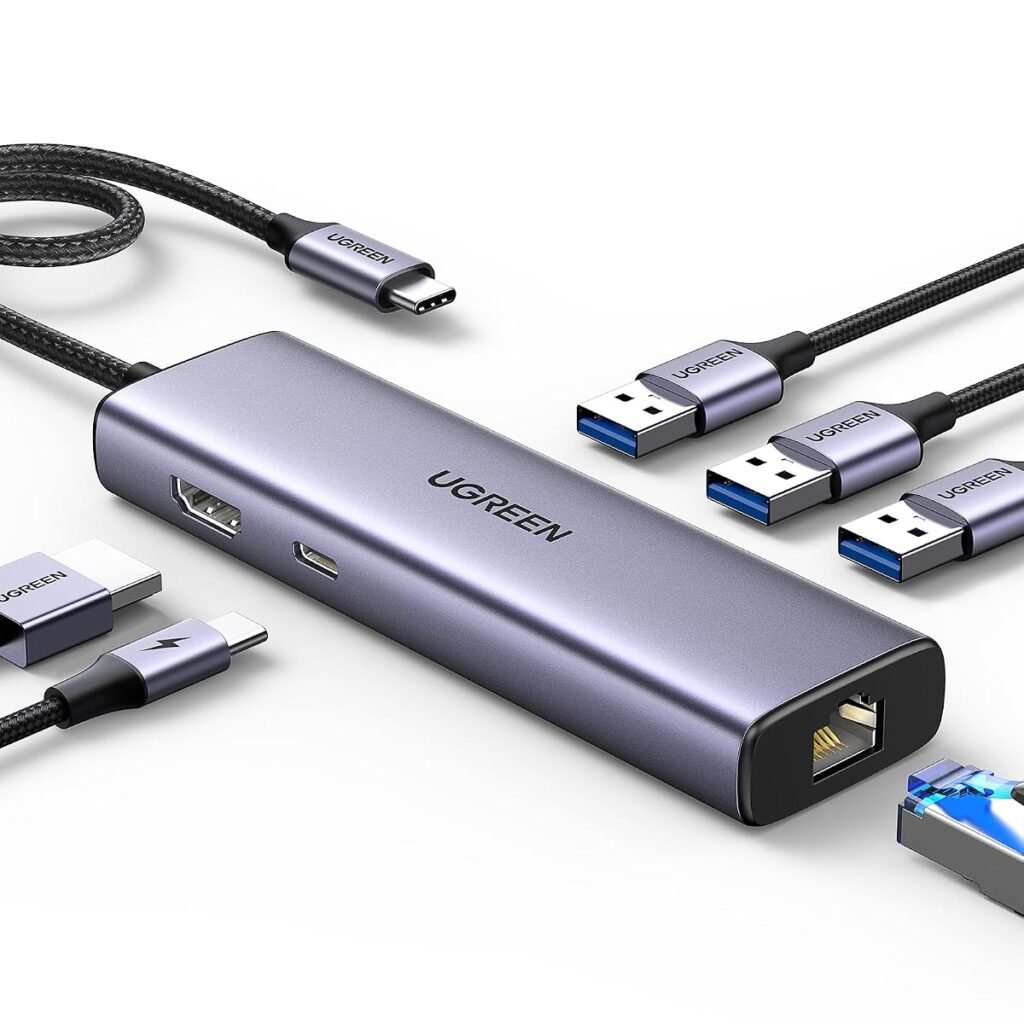
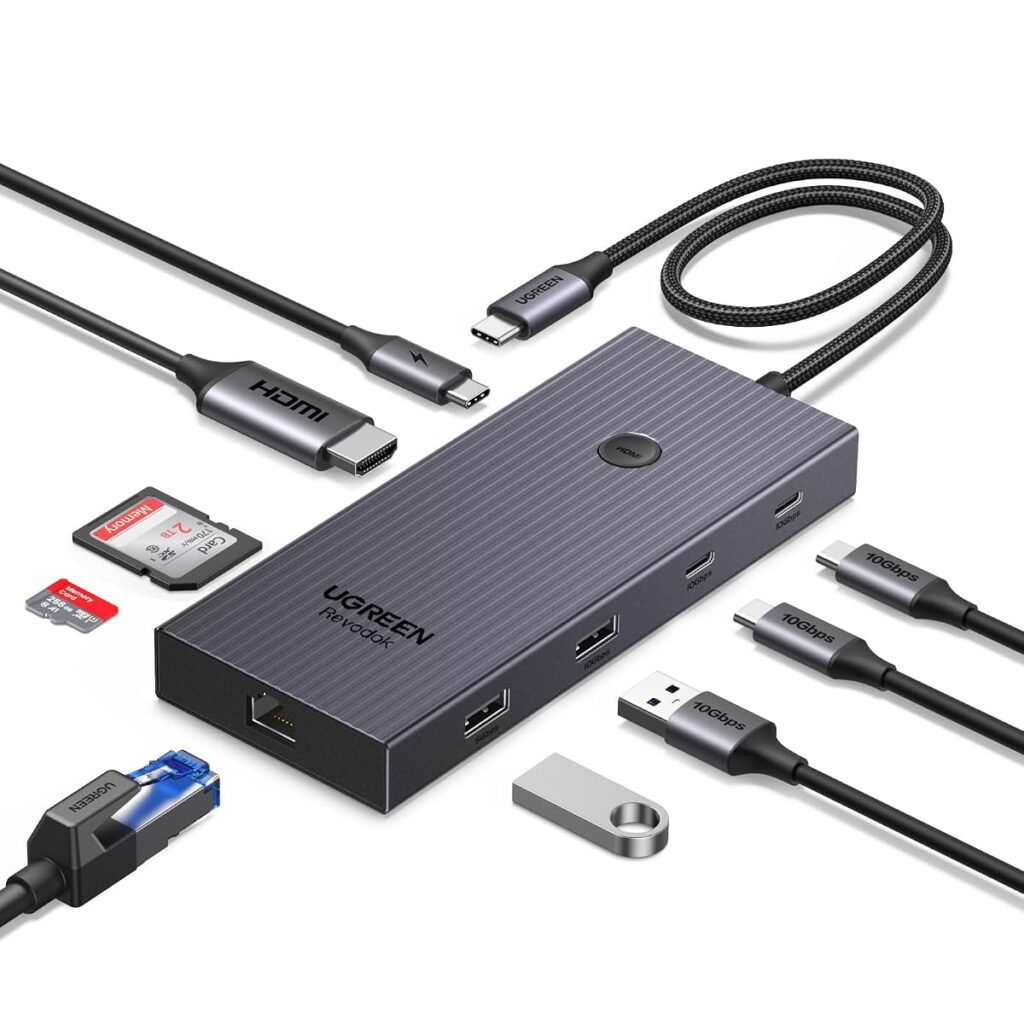
UGREEN Revodok Pro
Best value. Often delivers an excellent mix of fast USB, HDMI, SD and power delivery for the money.
Satechi OnTheGo
Best for travel. Compact design and Apple-friendly styling make it easy to throw in a laptop bag.
MacBook users: check dual-display support before buying
This is one of the biggest sources of frustration. Many inexpensive dual-HDMI hubs rely on MST, a technology Windows supports for extending multiple displays but macOS commonly treats differently. You can end up with mirrored external screens when you expected two independent desktops.
If two or three extended monitors are essential, verify the exact Mac model and hub technology before ordering. DisplayLink or Thunderbolt docks may be required for some setups.
How hot is too hot?
USB-C hubs can become warm because they handle charging, video conversion and data simultaneously. Metal enclosures intentionally move heat away from internal chips. Warm is normal; repeated disconnects, severe throttling or heat that makes the hub difficult to touch deserve attention.
Do you need Ethernet?
If you work from home, transfer large files or depend on stable video calls, Gigabit Ethernet is one of the most useful ports a hub can have. Hotel and office Wi-Fi can be unpredictable, while a wired connection removes one variable.
What about SD card readers?
Photographers and creators should check card-reader speed, not just whether a slot exists. Casual users may be fine with basic readers; professionals moving large video files can save substantial time with faster standards.
Hub or full docking station?
Choose a portable hub if you move between home, office and travel. Choose a powered desktop dock if you leave a monitor, storage, Ethernet and peripherals connected all day. A dock costs more, but it can make a permanent workstation cleaner and more reliable.
Compare USB-C hubs on Amazon ↗
FAQ
Does a USB-C hub slow down my laptop?
Not inherently, but several devices share the bandwidth available through the host connection. High-speed storage and displays can expose those limits.
Will a 100W hub charge at 100W?
Not always. The hub may consume part of the input power, and your laptop must also support that charging rate.
Can one USB-C cable run a monitor and charge the laptop?
Yes, with a compatible hub, charger and laptop. Verify that the host USB-C port supports video output.
Bottom line
The best hub is not the one with the most holes in the side. It is the one that reliably connects the exact gear you use every day without turning your desk into an adapter puzzle.
Related guide: Need a better charging setup too? See our Qi2 vs MagSafe comparison.
USB-C hub buying checklist
The best USB-C hub depends on the ports your laptop is missing. A creator may need SD and microSD slots, a remote worker may care more about Ethernet and HDMI, and a traveler may prefer a smaller hub with only two or three essentials.
- Check HDMI resolution and refresh-rate support.
- Confirm USB-C power delivery passthrough if you want to charge through the hub.
- Look at Ethernet speed if you use wired networking.
- Verify whether the host USB-C port supports video output.
- Count the USB-A and USB-C data ports you actually need.
Power delivery passthrough explained
A hub that accepts a 100W charger does not necessarily send the full 100W to the laptop. The hub itself uses some power, so the computer receives less. That is normal. If your laptop has a high-wattage charger, leave some headroom instead of matching the number exactly.
Why port placement matters
A good port list can still be annoying if thick HDMI, Ethernet and power cables all crowd the same side. For a permanent desk setup, look at the physical layout in product photos and imagine where the cables will run before buying.
Bottom line
Start with the ports you need every week and ignore the rest. A smaller, reliable hub with the right connections is usually a better buy than a giant adapter filled with ports you never use.
SD card readers and creator workflows
If you move photos or video from a camera, pay attention to the card-reader speed and supported formats. A built-in SD slot is convenient, but not every hub delivers the same transfer performance. Creators who copy large files regularly may prefer a hub with fewer ports and a better card reader.
Travel hubs versus desk docks
A travel hub should be light and simple. A permanent desk setup can justify Ethernet, multiple displays and more USB ports. Trying to make one tiny adapter do everything often creates cable clutter and heat.
USB-C hubs: the questions buyers still ask
A practical pre-purchase checklist
- Confirm that the laptop USB-C port supports DisplayPort Alt Mode or Thunderbolt for video.
- Check whether pass-through charging wattage is enough for the laptop under load.
- Choose Gigabit Ethernet when stable calls and large transfers matter.
- For 4K monitors, verify the exact refresh-rate limit and cable standard.
Write down the ports, rooms, devices and performance you actually need. This prevents paying for impressive specifications that do not solve your specific problem. It also makes returns less likely because compatibility is checked before the box is opened.
Setup mistakes that create disappointing results
Many negative experiences come from installation rather than defective hardware. Update the computer, phone or network firmware first, use the supplied cable where possible and change one setting at a time. Keep packaging until the full setup has been tested in the room and with the devices where it will be used.
If a feature is essential for work, confirm it on the manufacturer documentation and current product listing. Similar product names can cover several generations with different ports, wireless standards or included accessories.
Frequently asked questions
Why does HDMI not work through my USB-C hub?
The computer port may support data and charging but not video, or the hub may require a driver. Check the laptop manual and hub compatibility list.
Does a 100W hub charge at 100W?
Not necessarily. Some power is reserved for the hub, and the laptop, charger and cable must all support the negotiated power level.
Our editorial approach
This guide was researched and drafted with AI assistance, then reviewed and edited for clarity, product accuracy and usefulness. It does not claim hands-on laboratory testing. Product specifications, prices and availability can change, so verify the current listing before purchase.
Official reference: See the relevant technical guidance for additional compatibility and setup information.
Are USB-C hubs the right solution for your problem?
USB-C hubs solve missing ports only when the laptop, charger, display and hub support the same standards.
The best USB-C hubs are not simply the models with the longest specification list. Good USB-C hubs should solve the exact problem that brought you to this guide without creating unnecessary cost or setup difficulty.
- Compare USB-C hubs by the feature that directly solves your daily frustration, then verify compatibility before purchase.
- Compare USB-C hubs by the feature that directly solves your daily frustration, then verify compatibility before purchase.
- Compare USB-C hubs by the feature that directly solves your daily frustration, then verify compatibility before purchase.
Use this guide to narrow the options, but confirm the latest manufacturer information because USB-C hubs can change between product generations.